
Searching for a Warrant in Utah
Start a Utah warrant lookup at the free public name search linked from the Utah Bureau of Criminal Identification (BCI) warrants page. That tool searches Utah Statewide Warrants, or SWW, which runs inside UCJIS, the Utah Criminal Justice Information System. A match can point you toward a court and case. It is not a certified clearance, and it cannot tell you whether a warrant is still enforceable. The court controls its own orders and recall. Service belongs to the sheriff or another authorized agency. Type the name exactly as it appears on the citation or court notice. The archived public screen asks for a first and last name, with a middle initial optional, and it uses a CAPTCHA. A date-of-birth search is not part of the public tool. When a possible match comes up in the Utah warrant index, note the court and case number. Then verify current status with that Utah court. Helping a relative? The Utah clerk may only share limited details without that person's authorization.
- Run the public Utah SWW search using first and last name; add the middle initial if known. The screenshot is archived, so current Utah controls may differ.
- For a Utah result, record the court and case reference and confirm both through the Utah Courts directory. Ask whether an appearance, payment, motion, or recall order is required.
- If no result appears, check the court named on the citation or notice. Open the Utah county directory to reach the county's court and sheriff channels; a local sheriff search or phone inquiry is not uniform statewide.
- Use Utah Courts Xchange for public case context or MyCase for many of your own eligible cases, then ask the clerk to confirm warrant status.
- For a copy, make a written Utah court-record request under the court rules, or use the relevant agency's GRAMA process for a Utah executive-agency record. Seek legal advice before taking action on a disputed or serious case.
Note: A result in Utah's statewide index points to the issuing court; it does not tell you whether a hearing or other case step remains.
Start a Utah Warrant Search at BCI's SWW Portal
The Utah BCI page describes the product as a free statewide warrants search and sends visitors to the public Utah Statewide Warrants portal. Its job is to return information from the Utah warrant file, not to stand in for the court's docket. The archived screen and BCI's own public description are the safest guides to what the form offers; internal UCJIS searches by date of birth, license, vehicle, court case, warrant number, and agency are reserved for Utah justice-system users rather than this public form. The official Utah Statewide Warrants portal is the public-search interface where a name check begins. The page carries no live subject or warrant result.
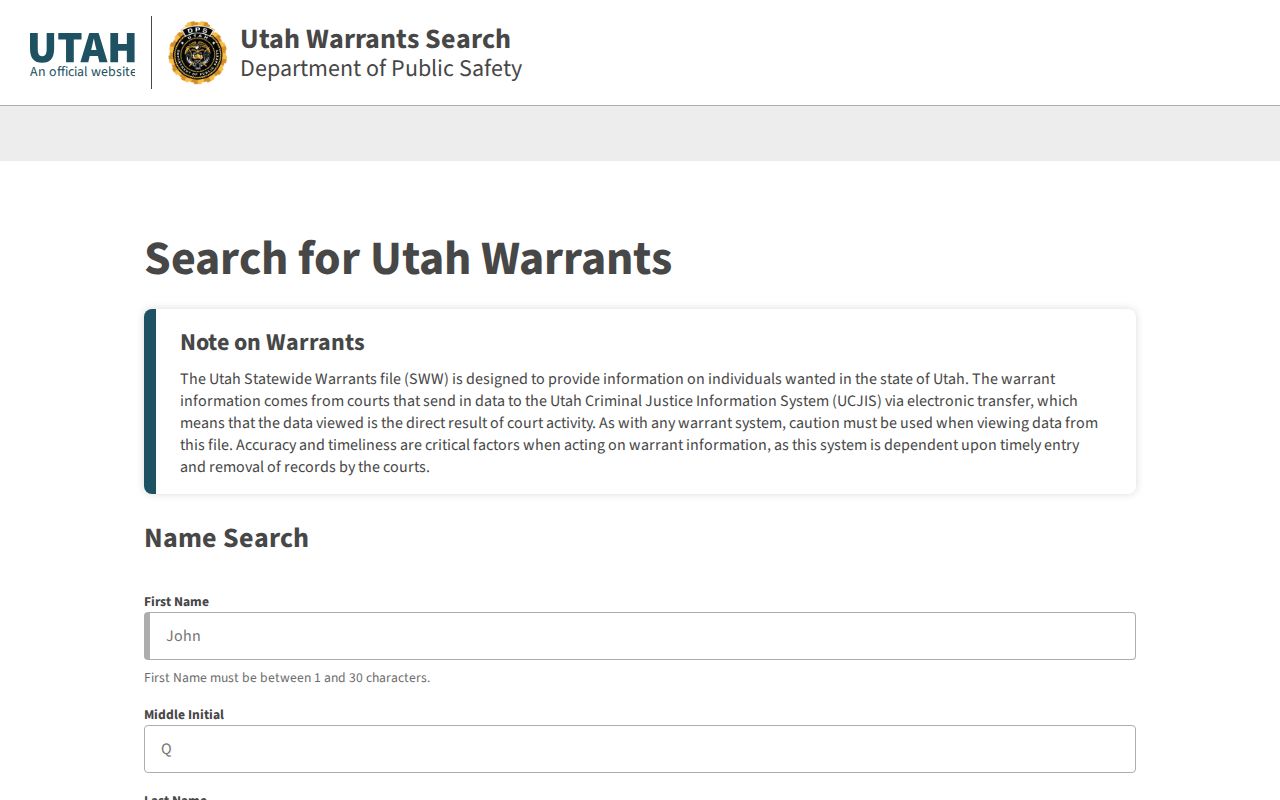
A blank form is only an invitation to search. Utah publishes no completeness guarantee, no list of participating Utah courts, and no freshness schedule for SWW results. The Utah BCI homepage also warns that BCI never phones people about warrants or asks for fine payment. Verify suspicious calls through an official Utah court or sheriff number.
Warrant Search Fields Explained
The clearest field-level guide to Utah's public form sits in the archived 2021 UCJIS dissemination-training material. Those controls come from that older Utah screen. They are no promise that the current BCI portal looks the same. No verified county, court, warrant-type, or birth-date selector exists for public use. How the current Utah portal matches searches and sorts results is not documented.
| Field Label | Type | Required | Notes |
|---|---|---|---|
| First Name | Text entry | Yes | Required in the archived Utah public screen. |
| Last Name | Text entry | Yes | Required in the archived Utah public screen. |
| Middle Initial | Text entry | No | Optional in the archived public screen. |
| CAPTCHA | Human verification | Yes to continue | Shown in the archived screenshot; current behavior was not verified. |
| Continue | Button | Action | Advances from the search form; it is not a search filter. |
That archived Utah screen also shows links for subscribers, FAQs, and support. It shows no DOB box, county selector, agency selector, status choice, pagination, export, or date range. None of those controls were visible there, so a later Utah portal version could still add them.
The Utah Public Form Uses Name Fields and CAPTCHA
Describe Utah's public SWW form narrowly. First and last name are required in the official archived interface; a middle initial is optional, and a CAPTCHA appears before the form continues. Nothing in the interface sets an alias-matching rule, partial-name behavior, match threshold, or result limit. Running another person's name is not the same as verifying a court record. Public name search works best for your own case or for helping a relative sort out a notice. Utah BCI's internal QSW and other UCJIS transactions let trained law-enforcement users search fields the public form never exposes. Internal database capability is not a public feature. If the name is common or the result looks uncertain, take the court and case reference to the Utah court clerk and confirm there rather than guessing identity from a partial match.
Note: Utah has no public field inventory for date-of-birth matching, county filtering, pagination, exports, or a result-count limit.
What a Warrant Search Shows
Utah BCI training material includes a public demonstration page showing a limited set of case details. A live Utah search result may not display the same fields, and the page does not reveal the full internal UCJIS record. Use the issuing Utah court and case number to move from a possible name match to the authoritative court file.
| Warrant reference | Court-confirmed number No public statewide number format was verified; use the reference shown by the official result or clerk. |
|---|---|
| Name and age | Shown in the official training demonstration. Do not assume the public view exposes other personal identifiers. |
| Case number | Displayed in the demonstration and useful when asking the issuing Utah court to locate its case. |
| Court name | Displayed in the demonstration; the issuing court controls the docket and recall. |
| Charge or charges | Displayed in the demonstration. The exact public detail can vary, and internal fields are not necessarily public fields. |
| Actions | Training screen examples include Back to Results, New Search, and Pay Fine Online; do not assume current availability or that payment recalls a warrant. |
Utah's statewide system file can hold status, service history, comments, identifiers, and recall information. Those operational fields are not proof of what the public search exposes. Do not infer a bond amount, judge, service limit, expiration date, or extradition scope unless the issuing Utah court confirms it.
A Blank Utah Search Is Not a Court Clearance
A blank result means very little. The public Utah SWW file comes with no coverage map, no completeness promise, and no freshness date. Nothing guarantees which courts feed it or how far back it reaches. The archived form has no Utah county selector either. A Utah warrant can sit in a Utah court's case record while the public warrant search shows nothing at all. Sealed or restricted material follows its own access rules. A match is not the final word either. Court activity reaches UCJIS through court systems, so a public Utah entry can lag behind service or recall. Someone who has paid a balance, appeared, or watched a portal result change should still call the named Utah court directly. The clerk there holds the real answer. For questions about service, a Utah sheriff can explain its own role. Recall and case requirements, though, belong to the judge and clerk at the issuing court. The BCI manual revised in December 2025 adds one useful detail: a court-recalled SWW item is removed within about an hour, while a served record may stay up around 15 days until the court recalls it. Treat those as internal processing intervals, not a public refresh guarantee.
Note: A Utah public-search result or blank screen is an index response, not a certified court statement that a warrant exists or does not exist.
Where to Check Warrants in Utah
Two layers matter here. Utah's statewide index and the local case record do different jobs. BCI links the public name search. The court holds the case and decides whether an order is active or recalled. Utah District Court serves as the general-jurisdiction trial court, while county and municipal Justice Courts take many traffic, infraction, ordinance, and lower-level criminal matters. Start with the court printed on the ticket or notice. Not the county where you happen to live. A Utah county sheriff or local police agency can field questions about service. Search methods and disclosure limits vary. Utah publishes no promise of a sheriff roster in every county. Open the Utah county directory to find the right county layer, then use the Utah Courts directory to reach the specific issuing clerk. A citation or case notice can identify the jurisdiction. Traffic cases add one wrinkle. Utah DLD's SFTA status is a license-status code, not a warrant lookup. Check with the issuing court first. Use the separate DLD reinstatement process only after the court records its clearance. Federal matters sit outside Utah SWW entirely. The Utah federal PACER docket covers accessible federal case records, not state warrants.
Note: Utah has 29 counties, eight judicial districts, and separate county and municipal Justice Courts, so one local roster cannot stand for the state.
Use Utah Xchange for Case Context, Then Call the Clerk
Utah Courts Xchange sells case information two ways. Guest access and monthly accounts each carry published fees. The Utah Courts Xchange fee page lists a $10 initial guest balance, then $0.35 per search and $1 per document. An account runs $25 setup plus $40 per month for 500 searches, with $0.35 for each added search. Those charges can change. Confirm the current Utah Courts page before paying anything. Xchange is a Utah case-access service, not a warrant-only search or a clearance certificate. MyCase is another option. Utah Courts offers it free for many of a user's own eligible cases. Not every case type or nonpublic document appears there. A docket adds hearing and filing context. It may not settle a recall. For that, call the specific Utah clerk. One Utah court cannot supply another court's complete case record. A Utah county sheriff's records desk covers only records in its own custody.
Restricted Warrants and Access Rules
Utah sorts record access into two tracks. Court case files follow the classification rules in the Utah Code of Judicial Administration, while executive agencies answer to GRAMA. Those paths never merge. BCI's criminal-history and arrest-warrant data carries statutory limits under Utah Code §53-10-108, and a GRAMA request does not open internal UCJIS or law-enforcement records. A written request for a public court record goes to the court under Rule 4-202.04, where the court applies its own classification rules.
Key Rules:
Utah juvenile case records have special privacy protections under state law and court rules; do not expect a public name search to disclose them.
Search-warrant applications and supporting affidavits are presumptively sealed under Utah Rule of Criminal Procedure 40 for an initial period, subject to court orders and the rule's later-access process.
Utah's public index does not reveal restricted internal data, and the absence of a result cannot establish that no court warrant exists.
Ask the office that holds the record. Utah courts use UCJA rules for their case files. BCI, DPS, and county sheriff offices each run agency request processes under GRAMA, with Utah warrant information still bound by statutory limits. BCI's GRAMA page links to its request route. A denied or delayed request has an appeal path, and filing one never recalls a warrant.
Request a Utah Court Record Through Rule 4-202.04
When online access falls short, Utah Courts offers a written request process for a record a court holds. Identify the case or document. Send the request to the clerk at the Utah court that owns the record. The ordinary response window runs about 10 business days. Access classification and the court's workload can stretch that, and an expedited route exists with its own eligibility rules. The form asks for the record and contact details. Public access still depends on the court's classification decision. The official Utah Courts record-request page explains how to submit. That page lays out the court-record request channel itself, not a warrant result or any particular case.
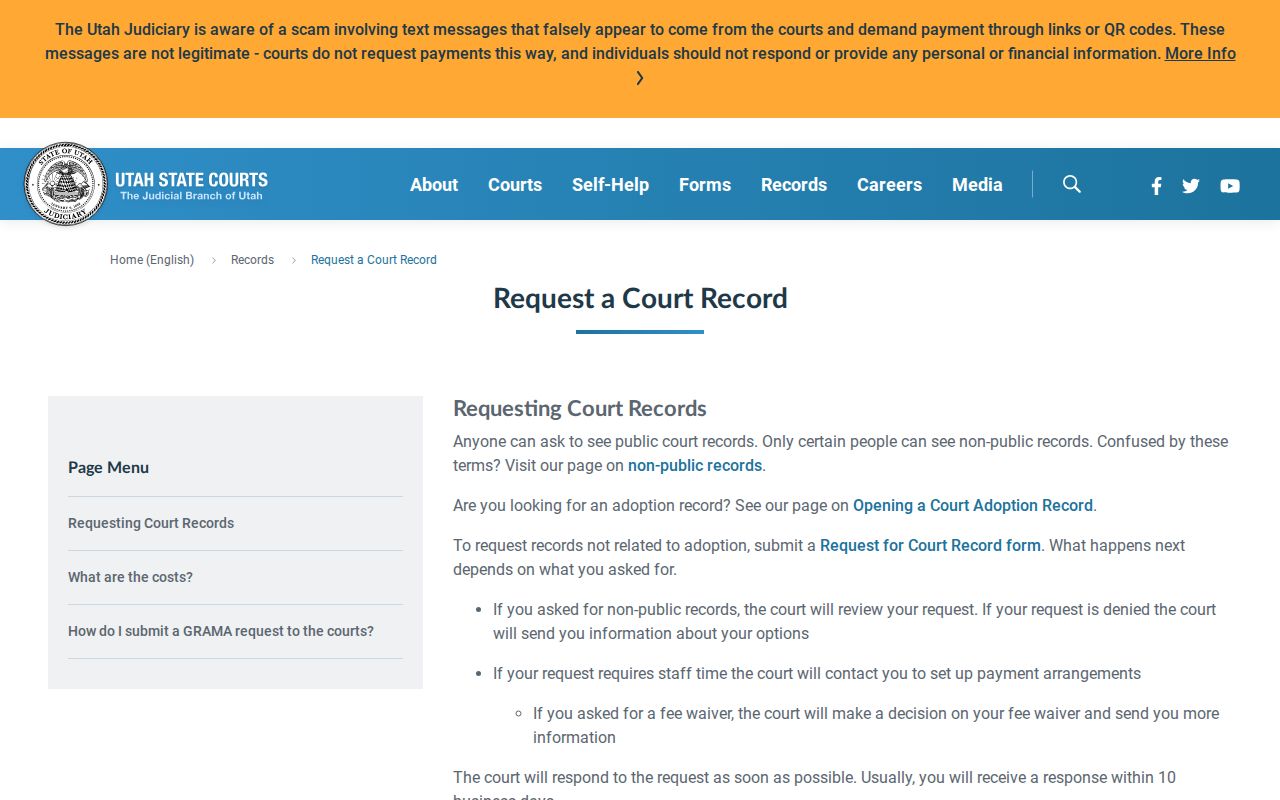
Utah charges $0.25 per paper sheet, $15 for electronic storage media, and $15 for each half-day of hearing audio or video. Staff time gets billed too, once a request passes the first 15 minutes. Confirm those figures against the current Utah Courts fee schedule before you pay. One more limit matters here: court staff will not fax or email records that are accessible through Xchange. Some files sit with Utah BCI or a sheriff rather than a court. In that case, take the GRAMA route with the agency that holds the record, keeping in mind that criminal-history and warrant-of-arrest disclosure rules may restrict what comes back.
Note: Utah's court-record request process can provide an eligible document, but it cannot order a judge to recall a warrant.
Utah Juvenile and Sealed Records May Not Be Public
Utah handles juvenile cases on a private-record track, apart from the ordinary public search. State law and court classification rules shield the contents. So a parent or relative should ask the Utah court directly what access is allowed. Don't assume a public lookup will surface the file. A requester may first have to show an authorized relationship or a legal basis for access. Search-warrant applications get similar protection. Rule 40 treats the affidavit and related materials as presumptively sealed at the start, with the court controlling timing and any extensions. These restrictions govern the Utah court record itself. They are not a promise that every Utah warrant stays hidden or that every search result is complete. When nothing turns up, ask the Utah clerk which record category and access rule apply. If the record you want sits with Utah BCI or a sheriff, direct the request to that agency. Expect GRAMA classification and warrant-information limits to weigh on the answer.